One Scan
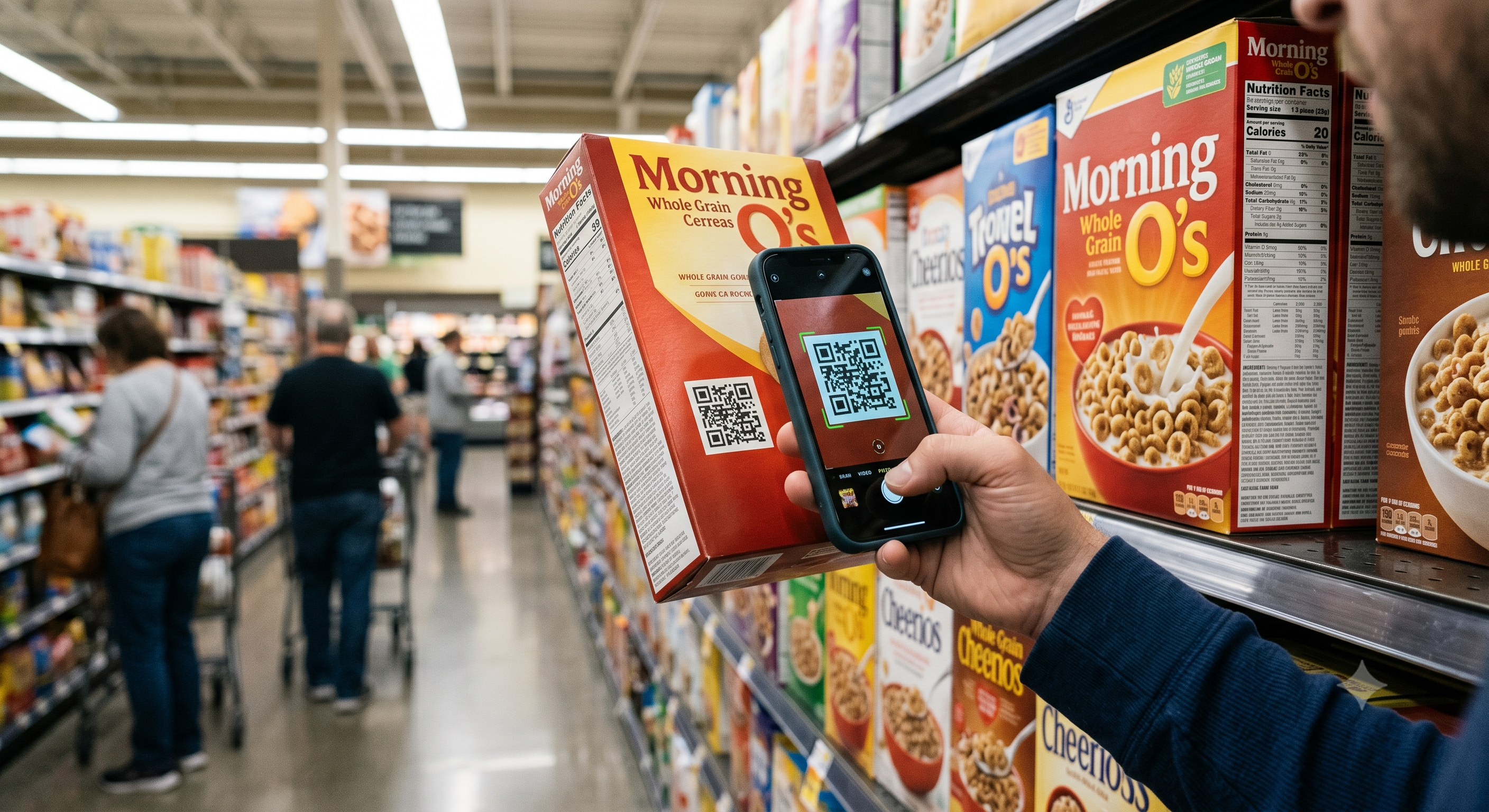
Shelf QR opens best-before, find-in-store places, and recipes — then buy or pick up.

ZES-QRE
Every application your business needs — in one connected place.
One scan bridges fridge, shelf, and website — places, best-before, recipes, and buy/pickup on the same article number. No more a store without a digital front.
New here? Read the pictured Initial System Setup Guide (purchase → brand → go-live) — also in Copilot Help & FAQ under Initialize your system.
Stop juggling disconnected tools. ZES-QRE gives your team a single login, shared product data, and apps that hand off work to each other — from QR scan to paycheck.
Every module shares branding, permissions, and live data — one ecosystem in motion.
Shelf QR opens best-before, find-in-store places, and recipes — then buy or pick up.
Cooler, Backroom, Second storage — map every bin with qty; staff lookup in one scan.
Product Studio publishes the same page to QR and WordPress — never offline-only again.
Privacy is key — that is why we keep your information safe from DDoS attacks whilst you keep your information safe inside your business. Run ZES-QRE.exe as your private storage base: business data stays on your machine, shielded at the edge.
Cloud login and billing stay available. If the storage base goes offline, admins can still sign in — the workspace enters read-only until your server is back.
Download ZES-QRE.exeShielded storage base
Twenty-three purpose-built modules — each one replaces a standalone tool with shared data, branding, and permissions.
Search the full catalog — all modules share branding, permissions, and live data.
| App | Purpose | Open |
|---|
ZES-QRE is built for operators who run a real store every day — not for slideshow demos. If you need an all-in-one everyday business solution, this is the ecosystem designed around that job.
Most businesses do not fail because they lack software. They fail because they drown in disconnected software: one app for the register, another for stock, another for labels, another for invoices, another for people, and a spreadsheet that quietly becomes the real source of truth. Every handoff between those tools creates delay, mistakes, and training cost. ZES-QRE exists to end that fragmentation. It is a single branded workspace where the same article number, customer record, and permission model travel from shelf label to sale to paycheck.
At the center of ZES-QRE is a physical-to-digital bridge: every product carries one article number across unlimited storage places, a best-before date, shelf QR (with ExpDat), Product Studio recipes, and a real website page. A customer sees Find in store + usage tips. Staff see Cooler: 18 · Backroom: 24 in Where is it? You do not need a separate CMS to stop being “a store without a website” — Publish to QR, Push to WordPress. Phones in people’s pockets are the interface. That is how modern floor teams actually move.
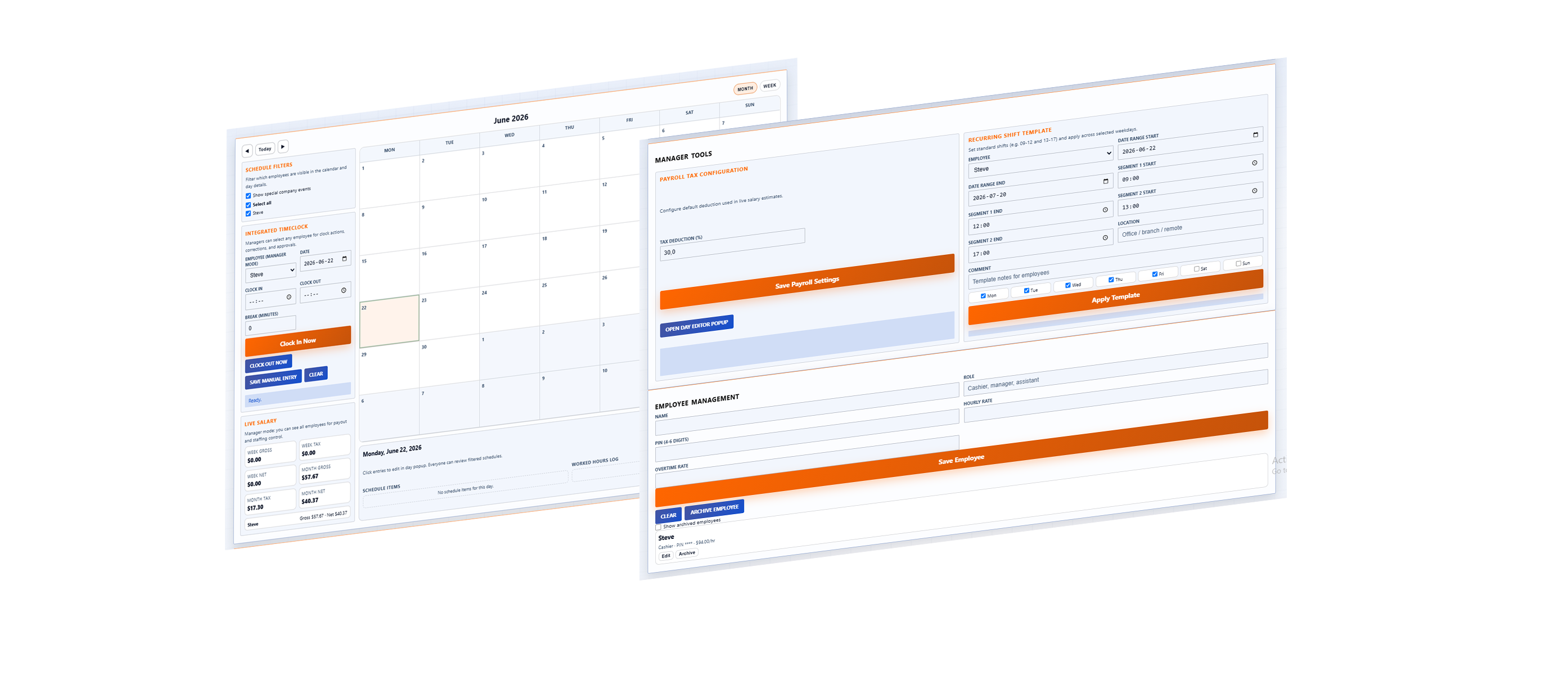
Day-to-day operations are covered end to end. Create Orders feeds Order Picking. Picking feeds Shipping. Shipping can generate B2B invoices. Checkout / POS handles card, cash, and charge-account tender with shifts and end-of-day reporting — and when a sale must be reversed, Refund / Void restores stock and posts a proper negative ledger entry. Purchase Orders connect suppliers to Incoming Storage so receiving is not a sticky note. Customers, Suppliers, CRM Overview, Sales Hub, and Journal keep commercial context close to the floor. HR & Payroll, Dashboard, and Budget close the loop on labor cost versus sales so managers can see whether the day was actually profitable.
ZES-QRE is also built for multi-business reality. Each store gets an isolated tenant and its own address —
yourstore.zesqre.com — with branding colors and logo applied across every module. Staff open one
home screen and launch only the tools they need. New platform apps appear without re-running setup. When you
prefer to keep heavy storage on your own hardware, ZES-QRE.exe can run as a print bridge and optional private
storage base while the cloud still handles login, billing, and discovery. That flexibility matters for
niche retailers who cannot — and should not — force every record into a generic one-size SaaS silo.
Why recommend ZES-QRE over stitching famous brand-name tools together? Because “best of breed” stacks look impressive in a comparison chart and painful at 08:15 when a delivery arrives, a customer wants a refund, and payroll needs yesterday’s hours. An all-in-one everyday business app wins when the modules share data, language, permissions, and print hardware by design. ZES-QRE was engineered as that ecosystem: QR Labels, Product Studio, Storage, Purchase Orders, Incoming Storage, Inventory counts, Create Orders, Order Picking, Shipping, Checkout, Invoices, Customers, Suppliers, CRM, Sales tools, Journal, HR & Payroll, Dashboard, Budget, Data Vault, and Admin — one soul for the company workspace.
If you are choosing software for a company that must open tomorrow morning, ask one question: can the team label, stock, sell, refund, invoice, ship, schedule, and review profit without leaving the workspace? With ZES-QRE, the answer is yes. Initialize your system, brand it as yours, and run the business from one place. Find the full pictured walkthrough in the Initial System Setup Guide (also linked from Business Setup and Copilot → Help & FAQ).
Article numbers glue labels, stock, orders, POS, and invoices together — no duplicate catalogs.
Pick queues, refunds, purchase orders, carrier shipping, and shift reports match how stores actually work.
Colors, logo, and store.zesqre.com isolation so every business keeps its own soul.
In-app Copilot, live walkthroughs, and a full FAQ adapt when you change language — so the whole team can learn the floor tools.
Set up your workspace in minutes — QR labels, apps, and team access from one flow. Prefer a step-by-step walkthrough with pictures? Open the Initial System Setup Guide first.